

Indian Design Representation Sheet Generator
Create a representation sheet for an Indian design application from your design views and download it as a Word document.
Free to use with a free IPR Manager account.
Create your representation sheet in 4 steps
1. Upload your images
Upload the design images you want to include in the representation sheet.
2. Assign each view
Assign each image to the appropriate view, such as front, back, top, bottom, left, right or perspective.
3. Add the sheet details
Enter the applicant name and design title, then review the novelty statement and disclaimer.
4. Generate the Word document
Sign in to your free IPR Manager account and generate the representation sheet as a Word document.
Views
Upload images with Add images, then assign each one to a view from the tray. Only assigned views appear below and are included in the document.
No views assigned yet. Add images above, then pick a view label for each image in the tray.
Sheet text
Fields marked * are required.
Add at least one view image
Sign in to generate and downloadSign in to generate and download your free Word document.
Example design representation sheet
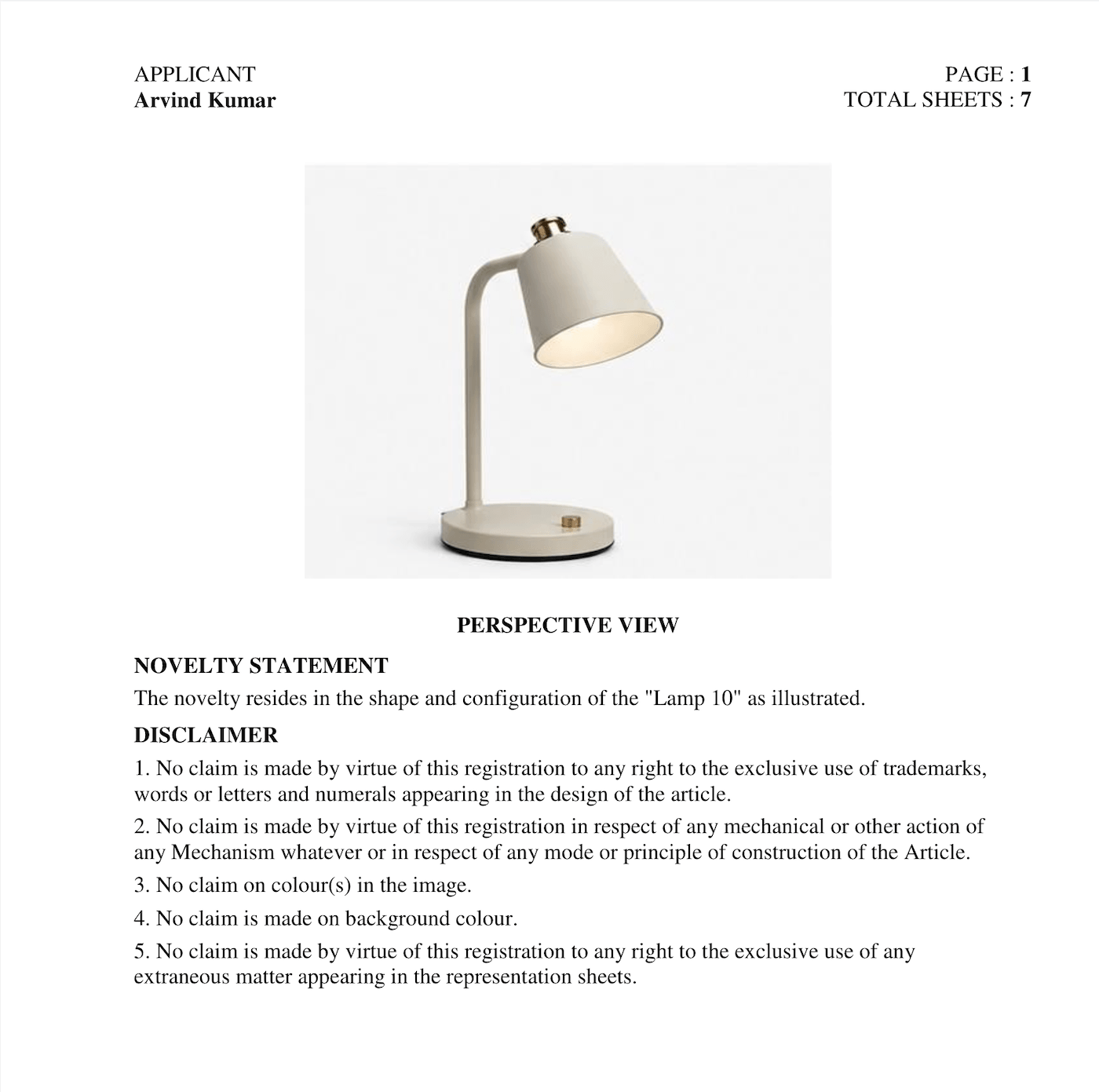
The generator creates a Word document containing the selected design views and sheet details you provide.
What is a design representation sheet?
A design representation sheet shows the visual features of a design in a design registration application. It can contain different views of the design so that the appearance and configuration of the design can be represented clearly.
Depending on the design, the representation may include views such as front, back, left, right, top, bottom and perspective views.
The Design Representation Sheet Generator helps you organize the views you want to include, enter the relevant sheet details, and generate a Word document from the information you provide.
Supported design views
Assign only the views you need for your design representation sheet. Unused view slots can be left empty.
- Perspective view
- Front view
- Back view
- Right side view
- Left side view
- Top view
- Bottom view
How to prepare a design representation sheet
Start by selecting the images you want to use to represent the design. Assign each image to the appropriate view in the generator, such as front, back, left, right, top, bottom or perspective.
Next, enter the applicant name and design title. Review the novelty statement and disclaimer and edit them where necessary for your particular application.
When the representation sheet is ready, sign in to your free IPR Manager account and generate the Word document.
Always review the generated document and the applicable requirements before using it for a filing.
Why use a design representation sheet generator?
Preparing representation sheets manually can involve repeatedly arranging images, identifying views and formatting document content.
This generator keeps those steps together in one workflow:
- Upload multiple design images
- Assign images to specific views
- Add applicant and design details
- Edit the novelty statement
- Edit the disclaimer
- Generate a Word document
- Download the completed document after signing in
FAQ
- What is a design representation sheet?
- A design representation sheet presents the visual features of a design through one or more views. It is used as part of the documentation for a design application.
- Which views can I include in the representation sheet?
- The generator supports perspective, front, back, left side, right side, top and bottom views. You can assign only the views you need and leave other slots empty.
- Can I generate the representation sheet as a Word document?
- Yes. After entering the required information and assigning your design images, you can generate and download the representation sheet as a Word document.
- Do I need to include every design view?
- No. The generator allows you to use only the view slots you need. At least one view image is required to generate a sheet.
- Can I edit the novelty statement and disclaimer?
- Yes. The novelty statement and disclaimer can be edited before generating the document.
- Is the design representation sheet generator free?
- Yes. Generating and downloading the sheet is free with a free IPR Manager account. The public tool currently allows up to ten successful downloads per signed-in user per IST calendar day.
- Do I need an IPR Manager subscription to use the generator?
- No. You do not need a paid IPR Manager plan to generate the representation sheet. A free account is required to generate and download the document.
- What happens to images I upload but do not assign to a view?
- Unassigned images remain in your browser and are not sent for document generation. Only images assigned to a view are uploaded.
More IPR tools
Explore free tools from IPR Manager for common patent and intellectual property workflows. Explore all IPR tools.
Manage design filings and deadlines
Start a 14-day free trial — no credit card required.
IPR Manager is a software platform only. AI tools speed up drafting, but every section, claim, and form stays a draft until you review and confirm it. We do not provide legal advice, patentability opinions, filing services, government-fee collection, or representation before the Indian Patent Office. Verify official fees and dates on ipindia.gov.in before filing.